
Mineblocks
Played: 751 times.
Description:
Explore a world filled with blocks, hidden resources, mysterious caves, and dangerous creatures in Mineblocks, an exciting 2D mining and crafting adventure. This game gives players the opportunity to explore randomly generated environments, collect valuable materials, build equipment, and discover new areas while completing different challenges.
If you enjoy games that combine exploration, creativity, and survival-style activities, Mineblocks offers an interesting experience. You can mine blocks to collect resources, search for diamonds, create armour, fight monsters, and explore different environments. There are plenty of activities to discover as you progress through the game.
One of the interesting aspects of Mineblocks is that it combines several gameplay elements into one experience. You are not limited to collecting resources or fighting enemies. You can also craft useful items, design redstone creations, explore the Nether, and work towards defeating the Ender Dragon.
Whether you enjoy building, mining, or exploring dangerous locations, Mineblocks provides different activities to keep you entertained.
You can discover Mineblocks on Gameswish and begin your own block-based adventure directly through your browser.
What Is Mineblocks?
Mineblocks is a 2D block-based mining and crafting game distributed through GameMonetize and listed under the Kiz10 collection.
The game takes place in randomly generated worlds where players can explore different environments and collect materials. Your adventure involves mining blocks, gathering resources, discovering valuable diamonds, crafting equipment, and facing dangerous monsters.
The block-based world provides opportunities for exploration and creativity. You can collect different materials and use them for crafting and building activities.
As you explore, you can also improve your equipment by creating armour and preparing for encounters with hostile creatures. More challenging areas provide additional objectives, including exploring the Nether and working towards defeating the Ender Dragon.
Mineblocks is designed around the freedom to explore and complete different activities. You can focus on gathering materials, developing equipment, discovering new locations, or progressing towards major challenges.
Main Features of Mineblocks
1. Randomly Generated Worlds
One of the main attractions of Mineblocks is its randomly generated world design.
Instead of exploring a completely identical environment every time, players can discover different arrangements of blocks, caves, and resources.
This makes exploration an important part of the experience. You can travel through the world, search for useful materials, and discover new areas as you progress.
Random generation also encourages curiosity because you never know exactly what you might find during your next exploration session.
2. Mining and Resource Collection
Mining is an essential activity in Mineblocks.
You can break blocks and collect materials that may be useful for crafting and building. Different resources can help you develop equipment and prepare for more difficult challenges.
Resource collection is important because your progress depends on the materials you discover.
Instead of simply travelling through the world, you need to observe your surroundings and decide which blocks are worth collecting.
3. Discover Valuable Diamonds
Diamonds are among the valuable resources you can collect during your adventure.
Finding them can be an exciting part of exploring caves and underground environments. Collecting valuable materials gives you more opportunities to improve your equipment and progress through the game.
Keep exploring different areas and pay attention to the resources available around you.
4. Crafting and Building
Mineblocks includes crafting and building activities that allow you to use collected materials.
Gather resources during exploration and use them to create useful items. Building also provides an opportunity to use blocks creatively and develop your own structures.
These activities make the game more than a simple mining challenge. You can combine resource gathering with creativity and progression.
5. Armour and Equipment
Exploring dangerous areas becomes more challenging when hostile creatures are present.
Mineblocks allows players to build armour and improve their equipment. Preparing suitable protection is an important part of getting ready for encounters with monsters.
Rather than exploring every dangerous area without preparation, spend time collecting useful materials and developing your equipment.
6. Monster Battles
The world of Mineblocks is not completely peaceful. Players can encounter monsters during their adventures.
These encounters add an action element to the mining and crafting experience. You must be prepared to defend yourself when exploring dangerous locations.
Building armour and collecting resources can help you prepare for these challenges.
7. Redstone Design
Another interesting feature mentioned in the game description is redstone design.
Redstone provides an additional creative activity for players who enjoy experimenting with different building possibilities.
It adds another dimension to the experience beyond ordinary mining and construction.
8. Explore the Nether
Mineblocks also includes the Nether, a different environment that provides another exploration objective.
Visiting new areas makes the adventure more interesting and gives players additional goals to work towards.
Before exploring dangerous locations, make sure you have collected useful resources and prepared your equipment.
9. The Ender Dragon Challenge
One of the major objectives mentioned in the game description is defeating the Ender Dragon.
This provides a larger goal for players who enjoy progressing through an adventure and preparing for a major challenge.
Collecting resources, improving equipment, and exploring different environments all contribute to your journey towards this objective.
How to Play Mineblocks
The main idea of Mineblocks is to explore the block-based world, collect resources, craft useful equipment, and complete different adventure objectives.
Here is a simple guide to help you get started.
Step 1: Start Your Adventure
Open Mineblocks on Gameswish and allow the game to load. Begin exploring the available environment and familiarise yourself with the controls.
Take some time to understand how your character moves and interacts with the world.
Step 2: Explore the Environment
Move through the world and look for blocks, caves, and useful materials.
Exploration is an important part of the game because you need to discover resources before you can use them for crafting and construction.
Step 3: Mine Blocks and Collect Materials
Break available blocks and gather the resources you discover.
Pay attention to the materials around you. Some resources may be useful for crafting equipment, while others can contribute to your building activities.
Step 4: Search for Diamonds
Explore different areas and look for valuable diamonds.
Collecting diamonds is one of the activities highlighted in the game description. They are an important resource to look out for during your adventure.
Step 5: Craft Equipment and Armour
Use collected materials to develop useful equipment.
Building armour is particularly important when preparing to explore areas containing hostile creatures.
Step 6: Explore and Face Monsters
As you become more prepared, continue exploring the world and face the challenges you encounter.
Use your equipment carefully and avoid entering dangerous areas without preparation.
Step 7: Discover New Areas
Continue your exploration and work towards the larger objectives.
You can explore the Nether, experiment with redstone design, and eventually work towards defeating the Ender Dragon.
Game Controls
Mineblocks supports keyboard or touch input according to its GameMonetize listing.
Action
Control
Play and move
Keyboard
Interact with the world
Keyboard or touch
Mobile interaction
Touchscreen
The listing does not provide a complete key-by-key control chart. Follow the instructions displayed inside the game for the exact keyboard actions.
Tips and Strategies for Mineblocks
Exploring a randomly generated world can be exciting, but having a sensible approach can make your adventure easier.
Here are some useful tips for getting more out of Mineblocks.
1. Collect Resources Before Exploring Too Far
Do not ignore basic resources when you begin your adventure.
Mining and collecting materials are essential parts of the game. Gathering useful items early gives you more opportunities to craft equipment and develop your surroundings.
2. Explore Carefully
Randomly generated environments can contain different resources and challenges.
Take your time when exploring new areas. Observe the surroundings and look for useful materials rather than travelling without a clear objective.
3. Search for Diamonds
Diamonds are valuable resources, so make them one of your exploration priorities.
Check different areas and underground locations while collecting other materials. Finding valuable resources can make your progress more rewarding.
4. Prepare Armour Before Facing Monsters
Hostile creatures can make exploration dangerous.
Use your collected materials to build armour and prepare your equipment before entering challenging locations.
Preparation is better than rushing into difficult encounters without protection.
5. Keep Exploring New Areas
Do not limit your adventure to one small location.
The randomly generated world and different environments encourage exploration. Discovering new places can introduce you to additional resources and objectives.
6. Experiment With Building
Mineblocks is not only about fighting monsters and collecting materials.
Spend some time experimenting with the available building possibilities. Creating structures and exploring redstone design can make the experience more creative.
7. Work Towards Bigger Objectives
The game description mentions exploring the Nether and defeating the Ender Dragon.
These larger objectives provide direction for your adventure. Continue collecting resources, developing equipment, and exploring the world as you work towards them.
Why Is Mineblocks Enjoyable?
Mineblocks is enjoyable because it combines several activities that appeal to different types of players.
If you enjoy exploration, you can travel through randomly generated worlds and search for caves and valuable resources. If you prefer crafting, you can collect materials and create equipment. Players who enjoy action can prepare for encounters with monsters, while creative players can experiment with building and redstone design.
This variety gives the game more flexibility than an experience focused on only one activity.
Another interesting element is the sense of progression. Collecting resources allows you to develop better equipment and prepare for more challenging objectives.
The inclusion of different environments, such as the Nether, also encourages players to continue exploring rather than remaining in one area.
Overall, Mineblocks offers an entertaining combination of mining, crafting, exploration, creativity, and adventure.
Why Play Mineblocks on Gameswish?
Gameswish is an online gaming platform where players can discover and enjoy browser games from different categories.
Whether you enjoy mining adventures, action games, racing challenges, puzzles, or casual arcade experiences, Gameswish provides different types of games to explore.
Here are some reasons to visit Gameswish:
Easy browser access: Discover supported games directly through the Gameswish website.
Different gaming categories: Explore adventure, action, arcade, puzzle, racing, and casual games.
Gameswish Originals: Discover original games published under the Gameswish Originals category, advertised as 100% ads free inside the games.
Gameswish Premium: Explore selected exclusive games through the dedicated Premium category.
More gaming choices: Find different experiences whenever you want to try something new.
Gameswish aims to make online gaming accessible and enjoyable by bringing different browser-game experiences together in one place.
Can You Play Mineblocks on Mobile?
The GameMonetize instructions state that Mineblocks supports keyboard or touch input.
This means the game listing identifies both keyboard and touchscreen interaction as supported input methods.
On a mobile device, use the available touch interaction to play. On a desktop computer, follow the keyboard instructions provided by the game.
For the best experience, use a modern browser and allow the game to finish loading before starting your adventure.
Who Should Play Mineblocks?
Mineblocks may be a good choice for:
Players who enjoy mining and crafting games.
Fans of 2D block-based adventures.
People who like exploring randomly generated worlds.
Gamers who enjoy collecting resources and diamonds.
Players who like building and creative activities.
Fans of monster battles and exploration challenges.
People looking for a casual browser adventure.
If you enjoy games that combine exploration, resource collection, and creative possibilities, Mineblocks is worth trying.
Frequently Asked Questions
1. What is Mineblocks?
Mineblocks is a 2D block-based mining and crafting adventure where players explore randomly generated worlds, collect resources, build equipment, and face different challenges.
2. What is the main objective of Mineblocks?
The game offers several activities, including mining, crafting, building, collecting diamonds, fighting monsters, exploring the Nether, and working towards defeating the Ender Dragon.
3. Is Mineblocks a 2D game?
Yes. The GameMonetize description identifies it as a 2D Minecraft caves game.
4. Can you collect diamonds in Mineblocks?
Yes. Collecting diamonds is one of the activities mentioned in the game description.
5. Can you build armour?
Yes. The game description includes building armour as one of its features.
6. Are there monsters in Mineblocks?
Yes. The game includes monsters that players can fight during their adventures.
7. Can you explore the Nether?
Yes. Exploring the Nether is one of the larger adventure objectives mentioned in the game description.
8. Is there a major final challenge?
The game description mentions defeating the Ender Dragon as one of the objectives.
9. Does Mineblocks support mobile devices?
The listing says players can use keyboard or touch input, indicating touchscreen support.
10. Who provides Mineblocks?
Mineblocks is distributed through GameMonetize and appears in the Kiz10 game collection.
11. Is Mineblocks suitable for casual players?
Yes. Its combination of exploration, resource gathering, and building activities makes it suitable for players who enjoy casual adventure games.
12. Where can I play Mineblocks?
You can find Mineblocks on Gameswish and enjoy the browser-game experience.
Final Thoughts
Mineblocks is an enjoyable 2D mining and crafting adventure that combines exploration, resource collection, building, and monster battles. Its randomly generated worlds provide opportunities to discover valuable materials, search for diamonds, create armour, and explore different environments.
Whether you prefer collecting resources, building structures, designing redstone creations, or preparing for dangerous encounters, the game offers different activities to enjoy.
The journey towards exploring the Nether and defeating the Ender Dragon also provides larger objectives for players who want to continue developing their adventure.
If you enjoy block-based exploration and crafting games, play Mineblocks on Gameswish and begin discovering everything its world has to offer!
Categories:
Adventure






Similar Games


Our Blog
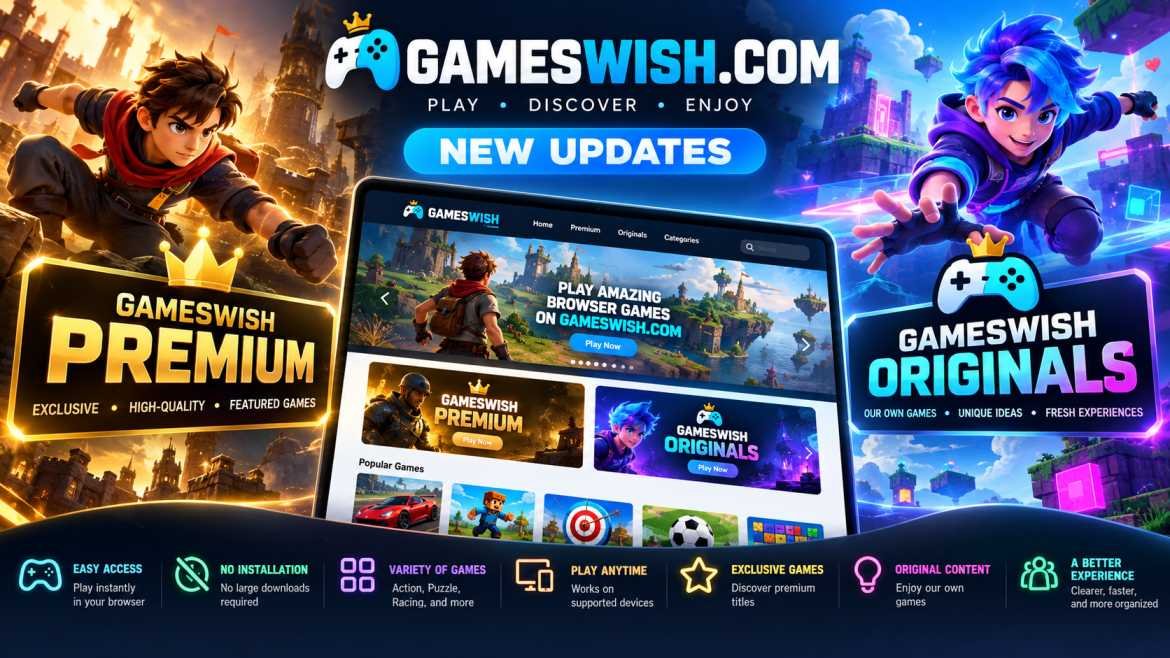
Gameswish Introduces a New Gaming Experience with Gameswish Premium and Gameswish Originals
Posted on: October 19, 2026
The online gaming industry continues to evolve as more people discover the convenience of playing games directly through their web browsers. From casual puzzle challenges to exciting action adven...

Word Finder
Posted on: September 30, 2026
Word Finder: Explore a Changing World of Word Puzzles
Word puzzle games have a simple appeal: the rules are easy to understand,
but finding the right answer can become surpri...
How WebGPU Is Improving Browser Game Graphics
Posted on: September 25, 2026
Browser games have changed significantly over the years. What started with simple
2D experiences has grown into a large ecosystem of games featuring detailed
environments, animations, lighting effec...
Online HTML Games vs Paid PlayStation Games: Differences, Pros and Cons
Posted on: September 18, 2026
Gaming has changed dramatically over the last decade. Players today can choose from thousands of free games that run directly inside a web browser, while premium console games continue to offer larg...
Read More
Zombotron Re-Boot
Posted on: September 10, 2026
Zombotron Re-Boot: Explore, Fight and Survive on a Mysterious Planet
If you enjoy action games that combine shooting, exploration, platforming, puzzles, and science-fiction mystery, Zombotron Re...
Keyboard vs Touch Controls in Browser Games
Posted on: August 16, 2026
Browser gaming has become increasingly accessible across computers, laptops,
smartphones, and tablets. Modern HTML5 technologies allow developers to create
game...
No comments yet. Be the first to comment!